

Research & Concept
Software
ESP32 SPI Data Logger
Proposal

SPI Speed
50MHz - Unusable
40MHz - Unusable
33.333MHz (ESP32 - MODE 3, DELFINO - MODE 2)
In-phase - Unusable
180Degree Offset - Reliable but Always loss one bit
28.571400MHz
In-phase - Often bit error
180Degree Offset - Reliable but Always loss one bit
25MHz
In-phase - Stable
Bandwidth Calculation
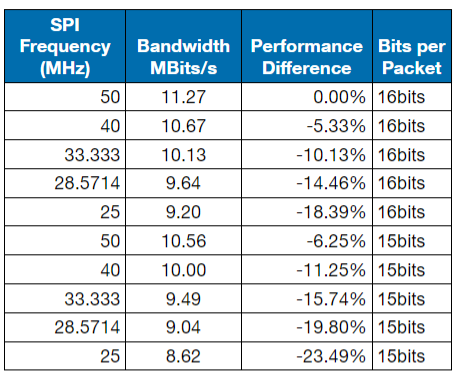
Assuming 1.1us delay between transfer of packet
Simulink
SPI Settings
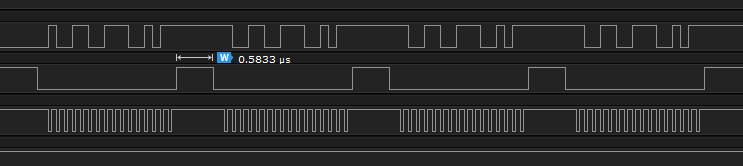

Delfino Capabilities
Burst of 16 Words (16bits) → 32Bytes of data at once
SD Card Speed
Initial Testing
 Effective 530KB/s writing speed or 4.24MBits/s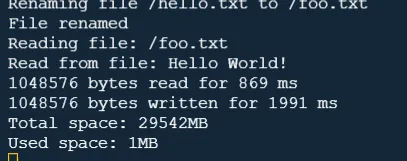
Optimized Speed Testing
Test 1: Effective 3.66MB/s writing speed or 29.28MBits/s (SPI Logging Stopped) Test 2: Effective 5.579MB/s writing speed or 44.628MBits/s (SPI Logging Stopped)
Notes: Test 1 & 2 is in the same scenario
Fastest: 5.579MB/s writing speed or 44.628MBits/s
20kHz Logging Testing (32Bytes per Period)
Throughput 640KB/s / 5.12MBits/s
384MB in 10mins or 4GB in 1:44:10 Hours
Normally 0 discontinuation of data per 2096896Bytes → 8191 Samples
0% Data Loss
30kHz Logging Testing (32Bytes per Period)
Normally 20 discontinuation of data per 2096896Bytes → 65528 Samples
0.03% Data Loss (Caused by CPU unable to handle some SPI receive)
Real Time SD Card Saving Speed (20kHz)
Save Time = 500~600ms with 102400B of saving buffer - Less than 5 discontinuation of data per save
Save Time = 530~625ms with 51200B of saving buffer - Less than 5 discontinuation of data per save
Data Per Save → 2096896Bytes → 65528 Samples @ 20kHz (Calculated: 3.2764s Actual: 3.276554s)
0.008% Data Loss (Before additional functionality added)
Save Time

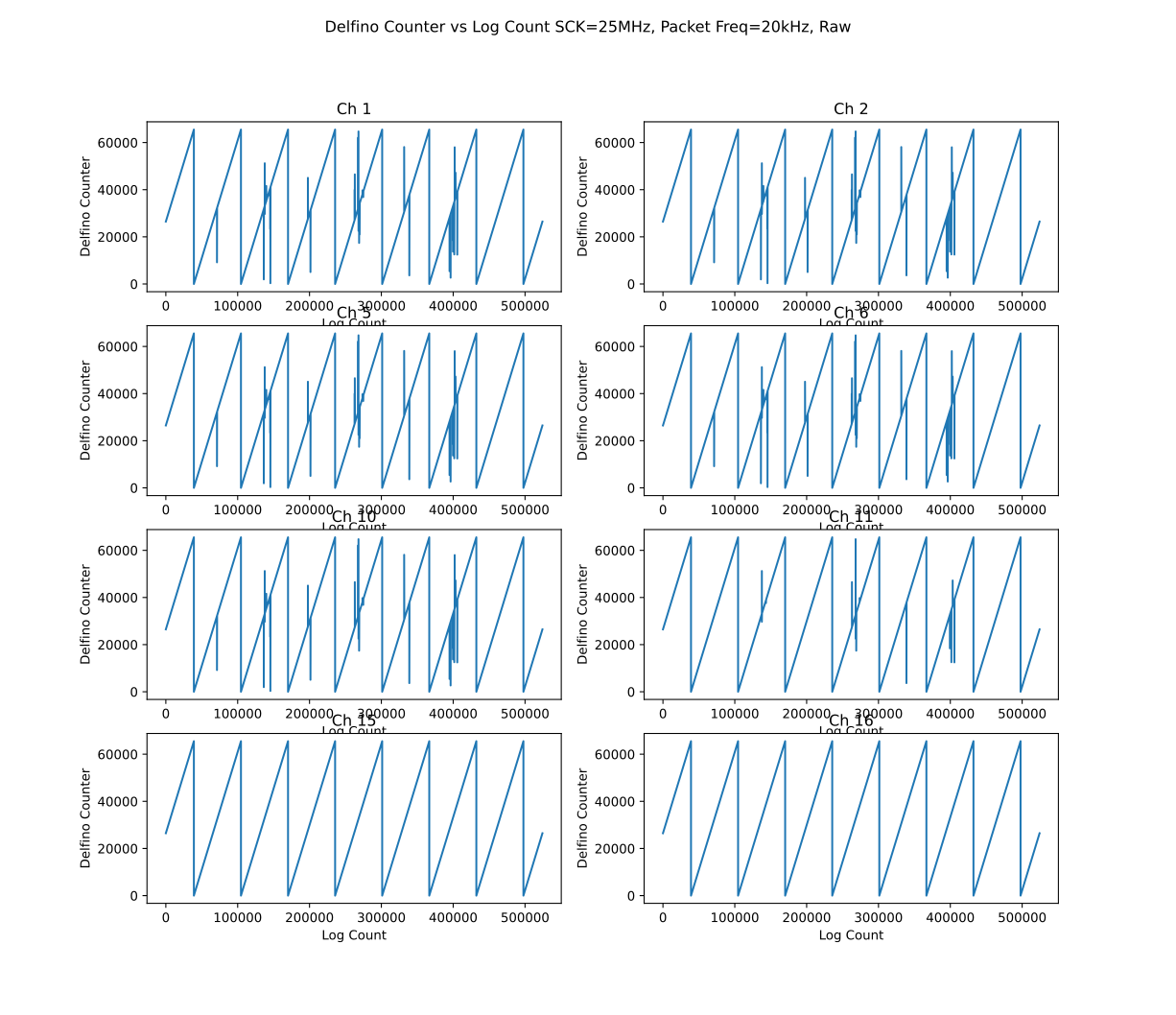
Analysis (Fixed Data Corruption without Filter in new code)
Raw Data
Post Processing Filter Code (Using Python)
## Filter Outliers
dataPrev = []
justDelete = True
for idx in range(len(data)):
if idx >= len(data):
break
if(justDelete == False):
if((dataPrev[0] + 1) != data[idx][0] and not(dataPrev[0] == 65535 and data[idx][0] == 0)):
print("Error Detected at ", idx,dataPrev[0],data[idx][0],data[idx+1][0])
data = np.delete(data,idx,0)
data = np.delete(data,idx,0)
data = np.delete(data,idx,0)
justDelete = True
else:
justDelete = False
dataPrev = data[idx]
Python
Result After Filter
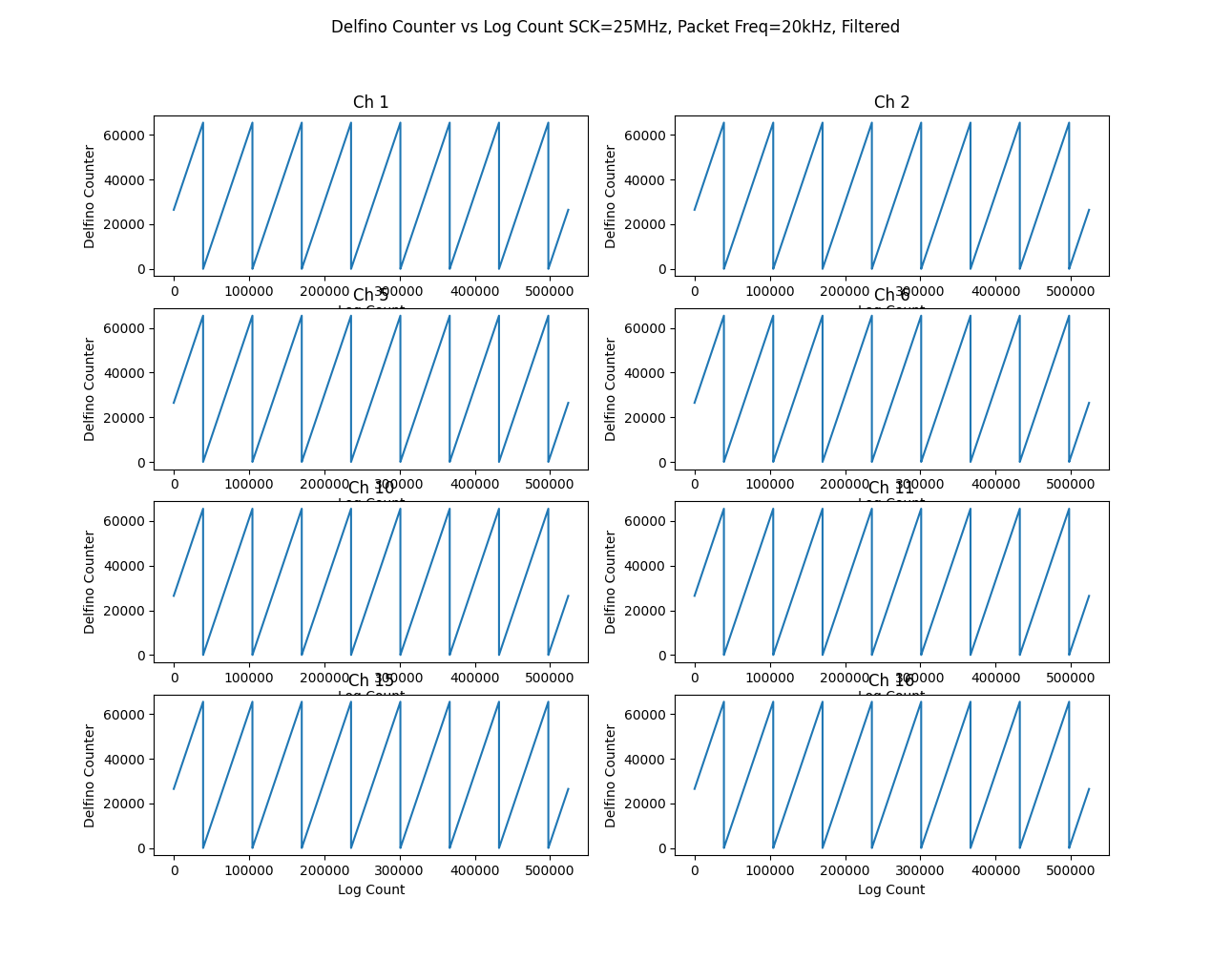
ESP32 Logging Memory Configuration
ESP32 RAM Type:
IRAM: Instruction RAM (Internal Memory) - 192KB
DRAM: Data RAM (Internal Memory) - 328KB
PSRAM: External RAM (External Memory) - 4MB
...
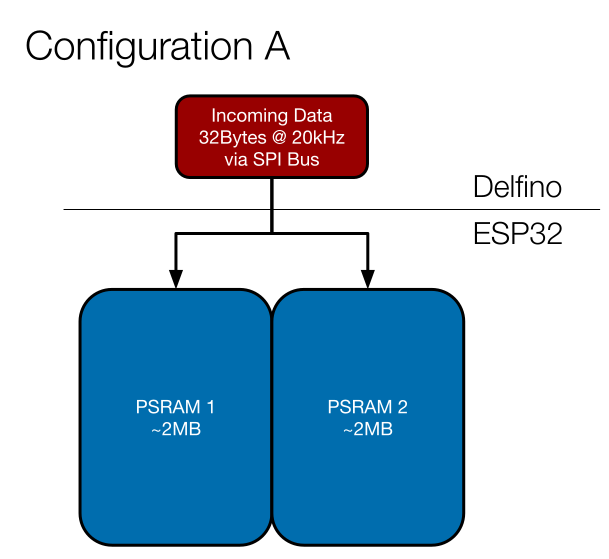
Configuration A
Data from SPI is stored directly to PSRAM once received
Issues
Data will be lost as the CPU will miss some data during the transfer from SPI Buffer to PSRAM
Figure
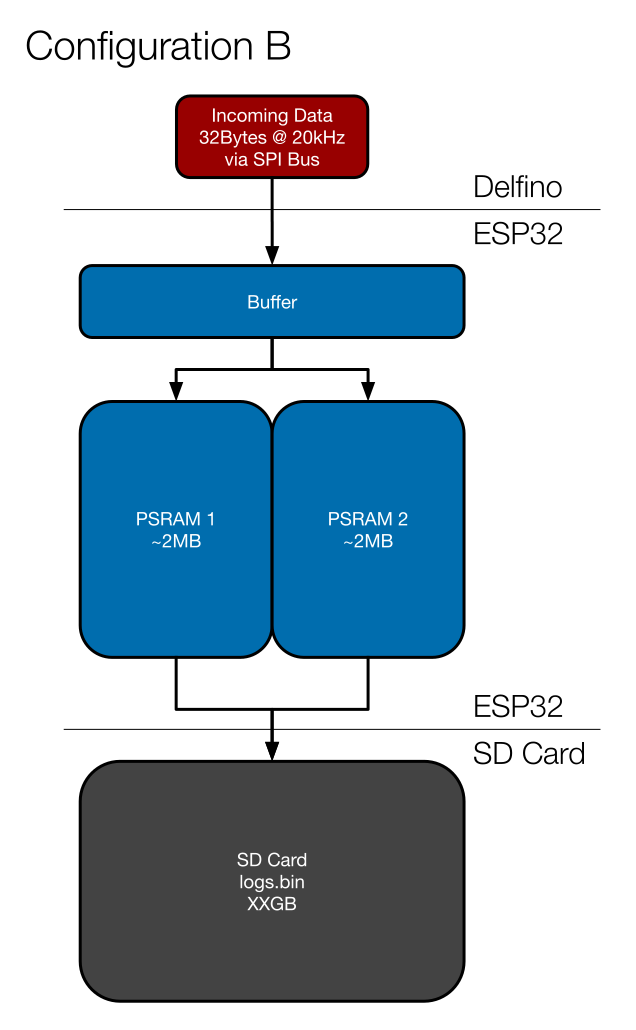
Configuration B
Data is stored in RAM Buffer via DMA then is only transferred to the PSRAM
PSRAM data is then stored onto the SD card for non-volatile storage
Issues
Slow write to SD Card speed cause PSRAM fill time is faster than SD Card write time
Figure
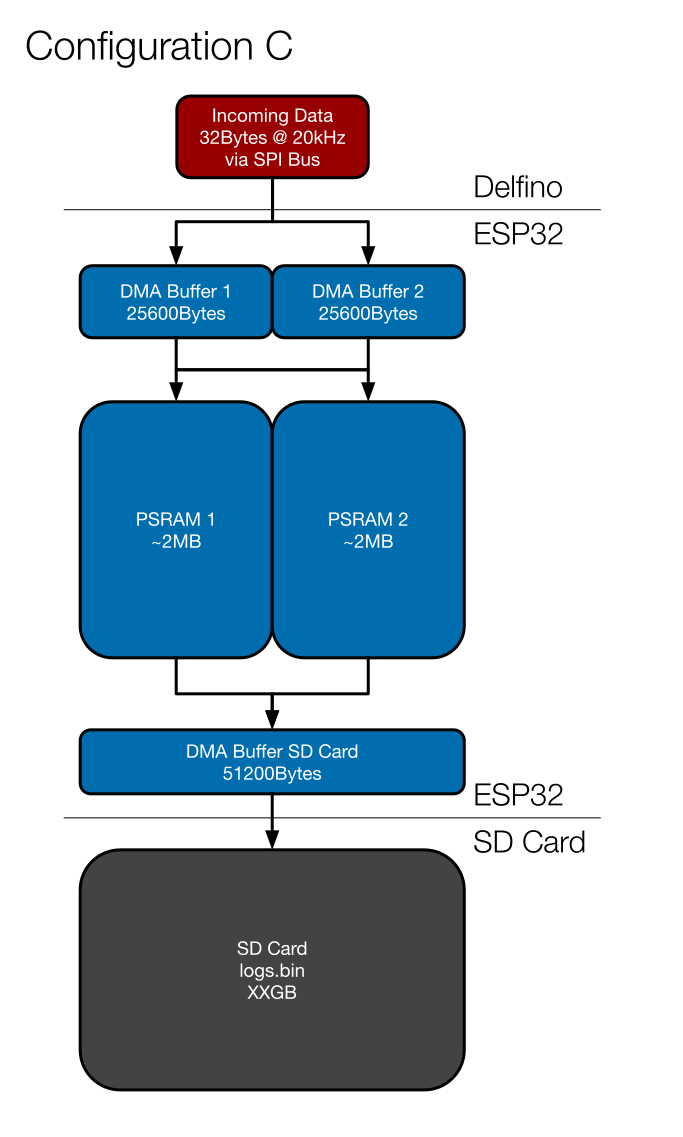
Configuration C
RAM Buffer is split into two parts, once a part is full the next buffer will start filling up, the first buffer will transfer the data to PSRAM
PSRAM data is copied into a DMA buffer in RAM before using DMA to store it on the SD Card.
Issues:
>5% Data loss with this configuration. Might be due to the transfer of DMA Buffer 1/2 to PSRAM take up too much time
Figure
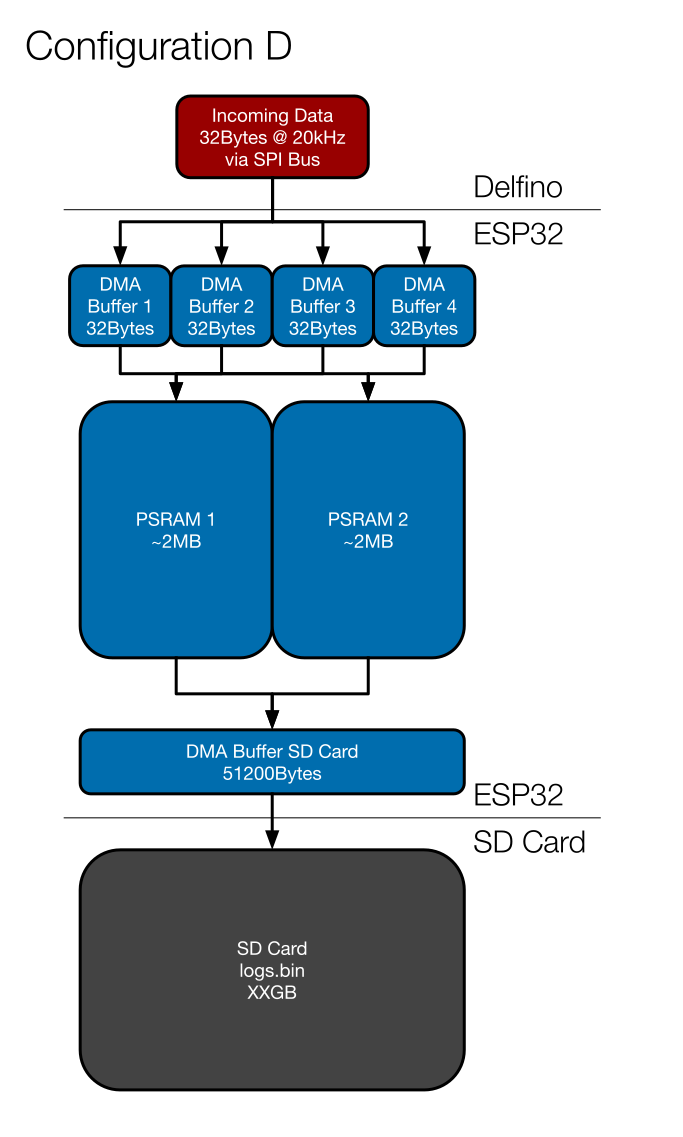
Configuration D
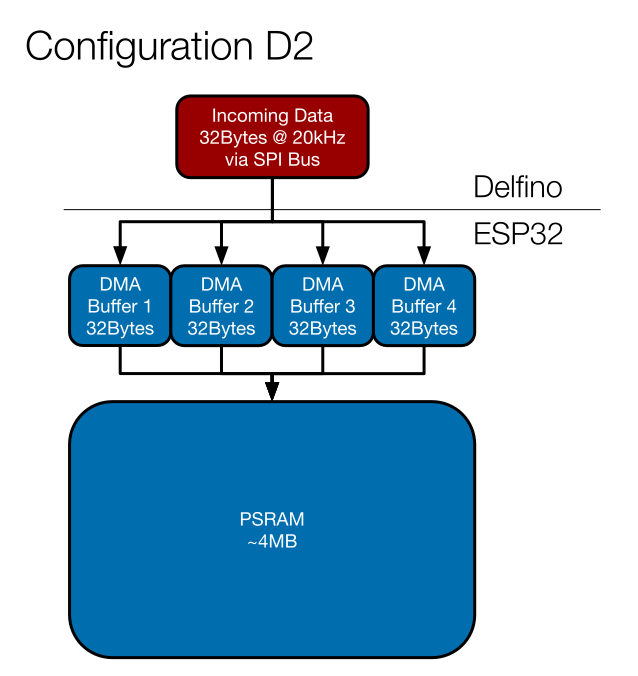
If choose to not save to the SD card, the system could reliably store the data onto PSRAM
DMA Buffer for SPI is shrunken to 32Bytes which is the packet data size. Once a buffer is used the next available buffer will be put in a queue, the used buffer will transfer the data to PSRAM as soon as the CPU is available
Issues
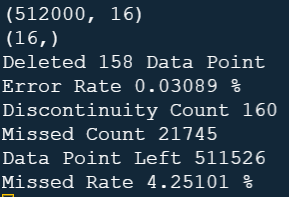
~4% Data loss occurred due to interruption caused by SD card saving
Figure
Performance
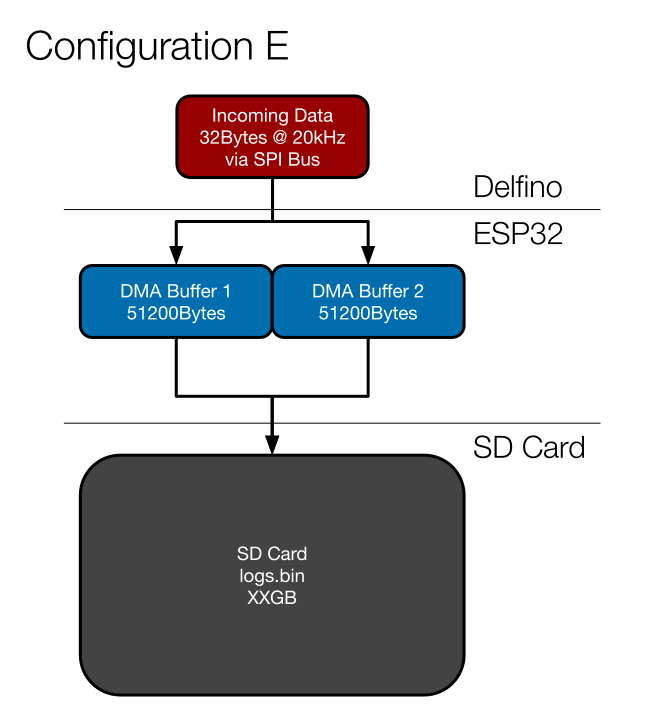
Configuration E
PSRAM is not used when saving to SD Card, PSRAM doesn’t like write/read occurring in short succession
Figure
Performance
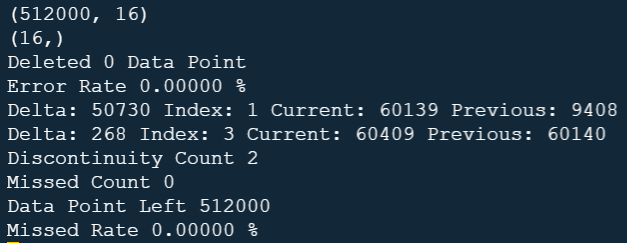
WiFi File Transfer (FTP Server)
Library Used


FTP Client (FileZilla)
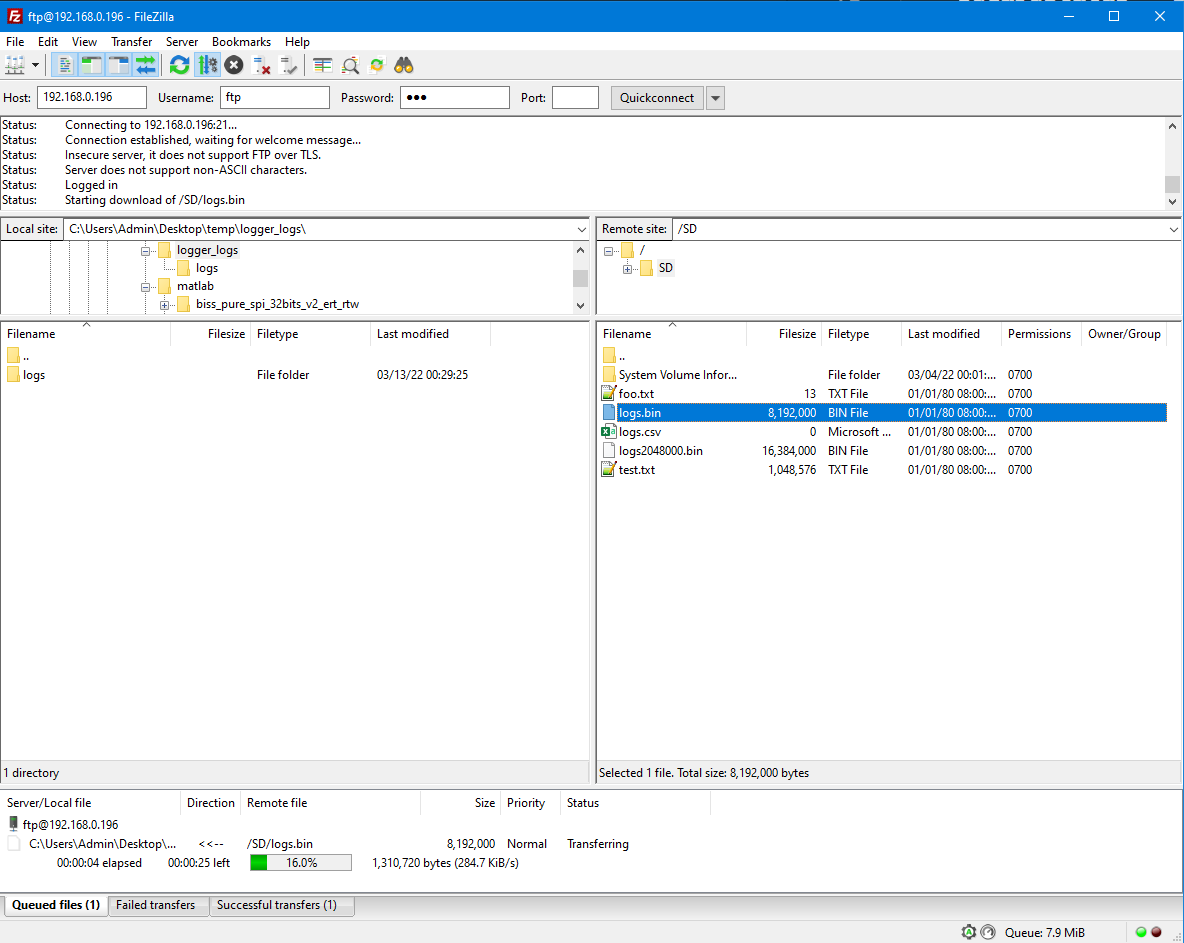
Original Speed from library

After buffer tweak
File Transfer Speed: ~300KB/s / 2.4Mbits/s
File Transfer Speed: (After buffer tweak) ~460KB/s / 3.68Mbits/s (50% Performance Gain) (Note: Expect 33% performance drop when PSRAM is enable)
CPU Core Utilisation
4 Main Tasks
SPI Slave ISR
SPI Slave Data Handler
SD Card save
Main Loop
Current Allocation
Core 0: SPI Slave Data Handler, SPI Slave ISR
Core 1: SD Card save, Main Loop
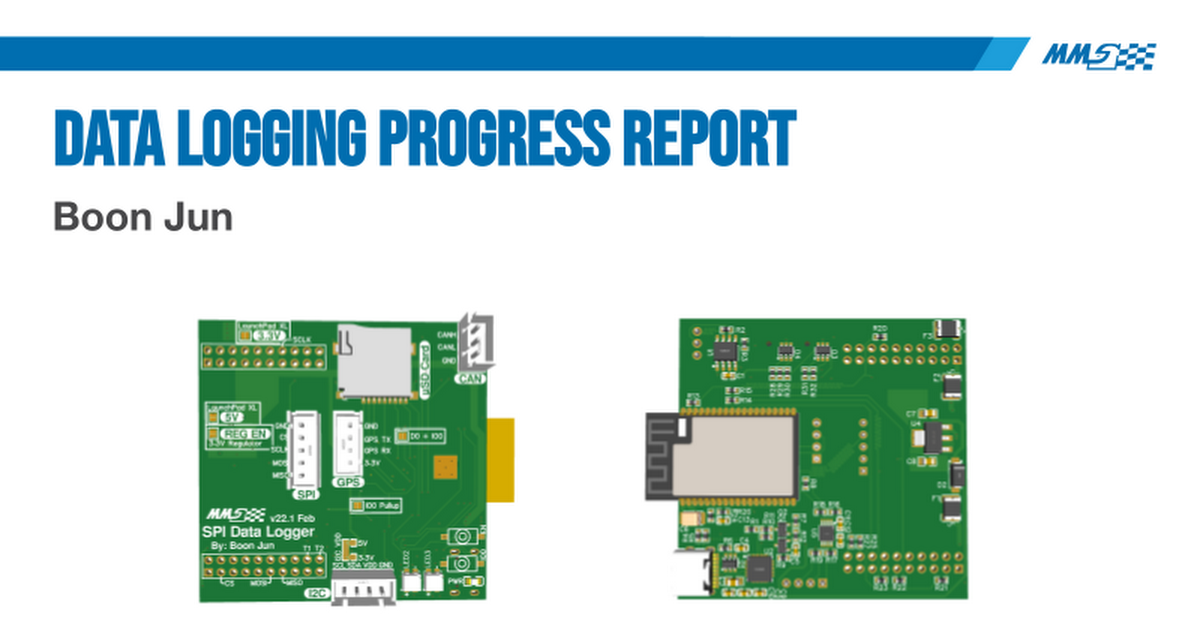
Progress Report
Performance
Delfino
Theoretical transfer time: 1/25MHz * 256bits = 10.24us
CPU Profiler (With Ingestion Program)