This describes the process in general, individual orders may have different requirements
Use the "Website Link" below to preconfigure the order
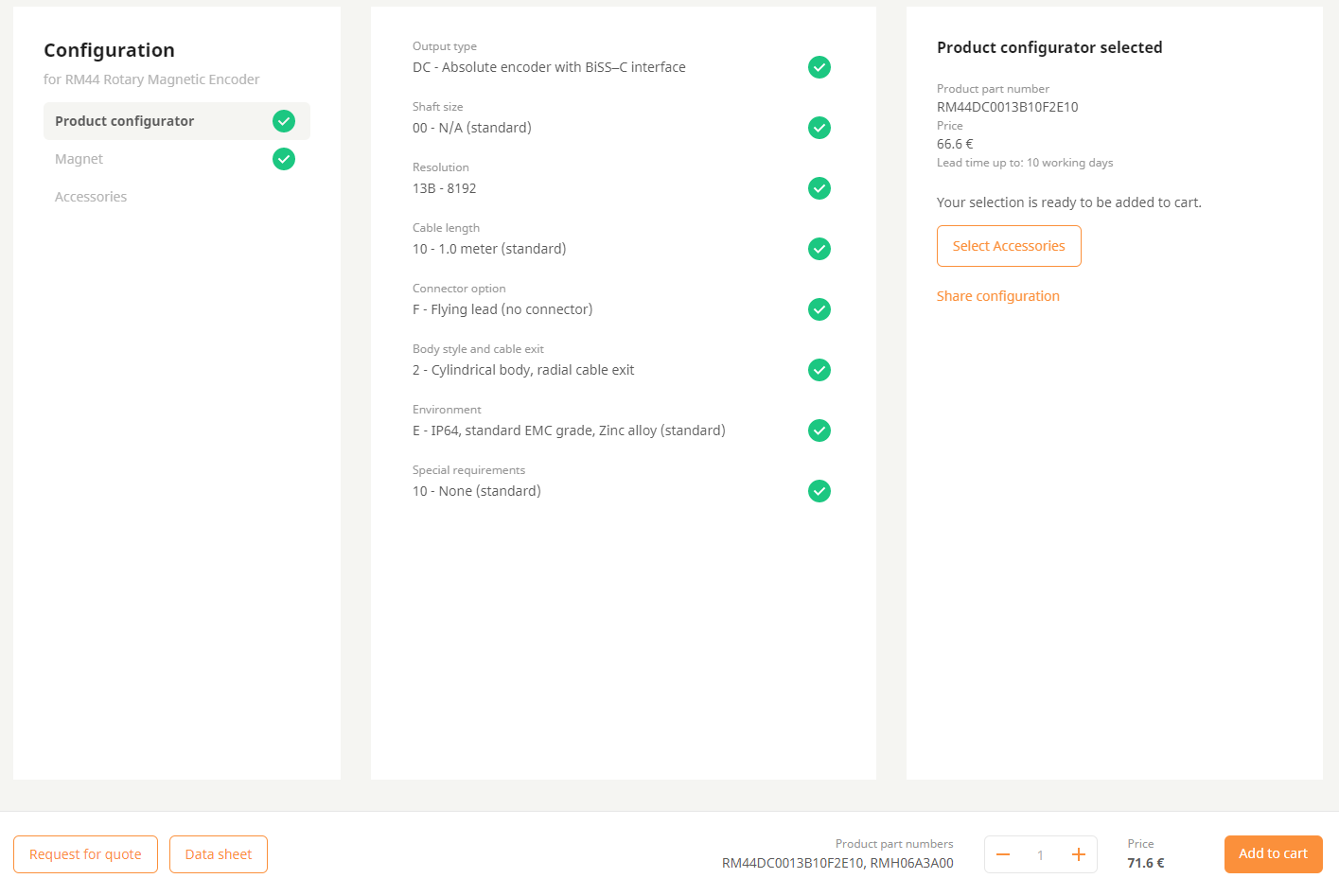
The link should automatically configure the order (Product configurator and Magnet should have a )
)The configured order should look like "Configured Photo"
Click Add to Cart
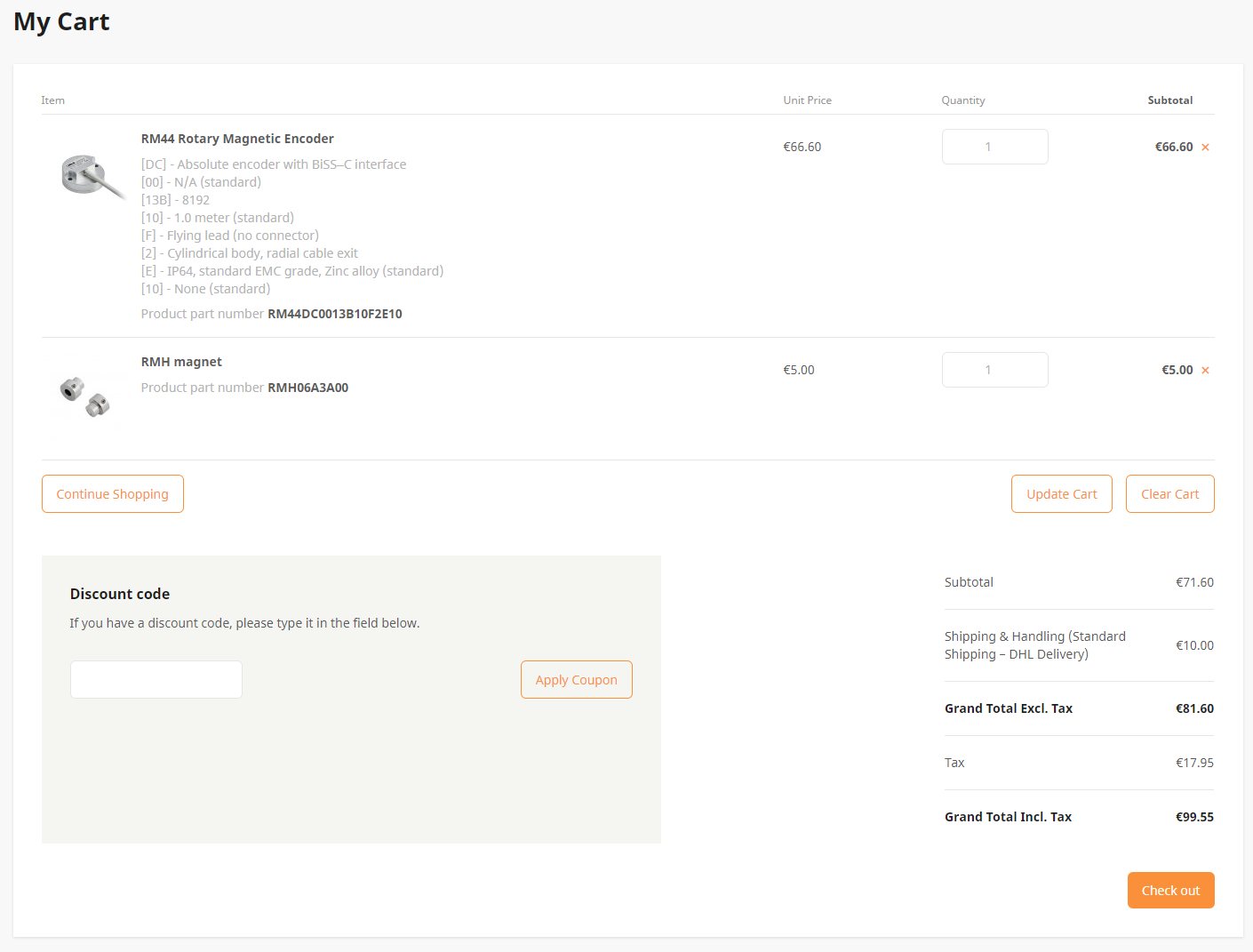
The cart should look like "My Cart Page" (Do make sure the product part number exactly match and quantity is 1 each)
Click Check Out
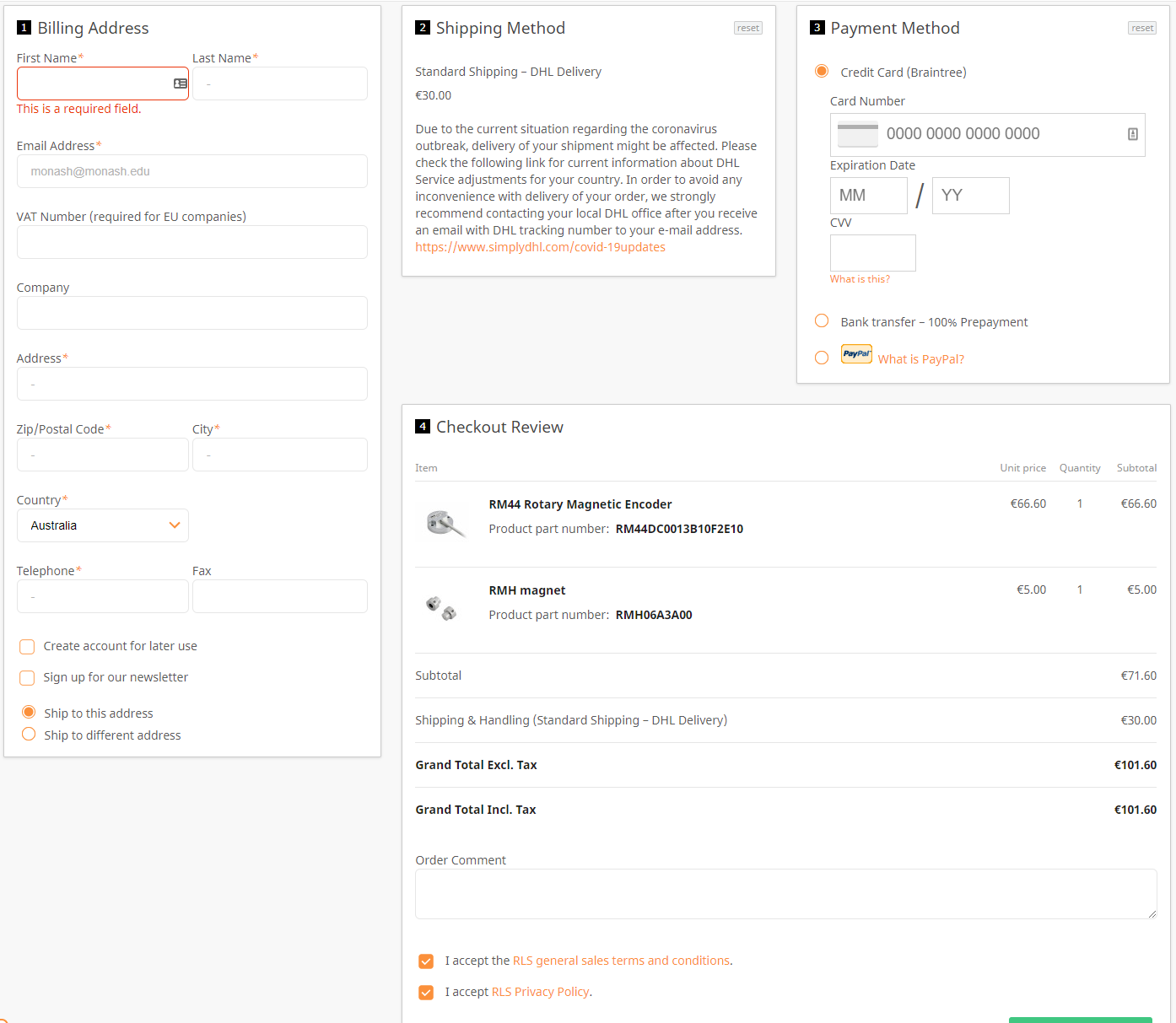
In "Payment" page, fill out the relevent information
Website Link
Configured Photo
My Cart Page
Payment